Monitor Setup
Set up monitoring tasks to automatically download new messages
Monitoring Center is one of the core features of TG Downloader. Just add it once, and the software acts as your “digital security guard”, keeping an eye on target groups at all times.
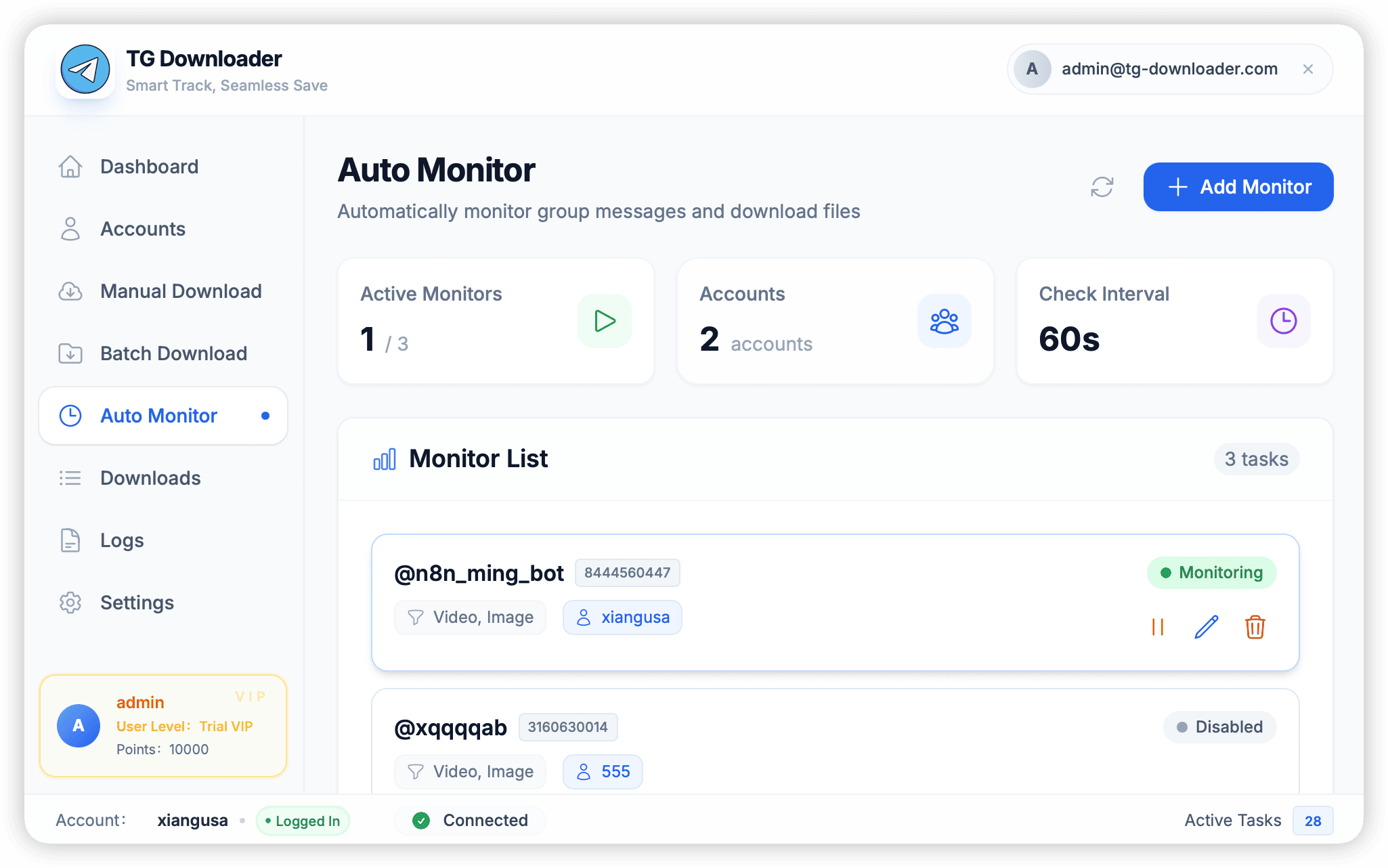
Add Monitor Task
Click the + Add Monitor button to pop up the configuration window:
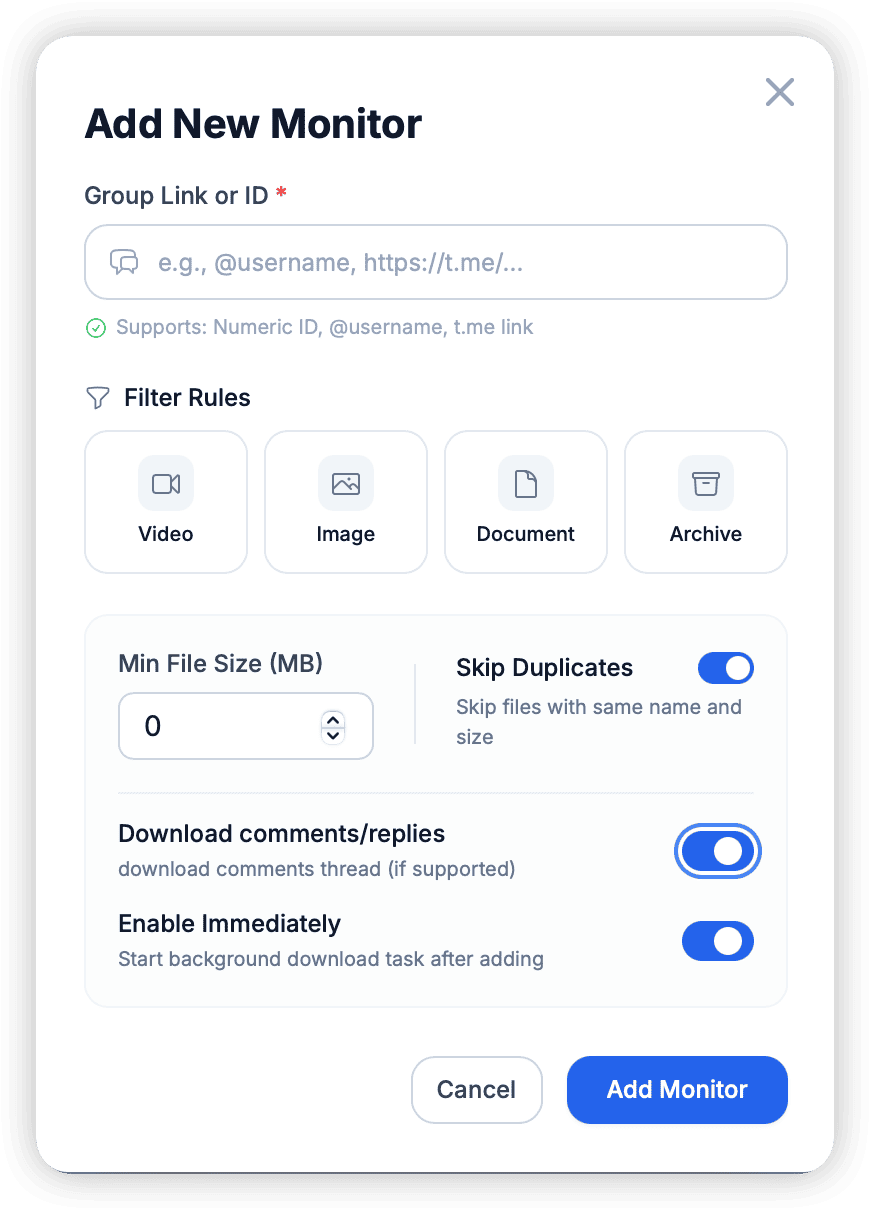
Key Parameters
-
Target:
- Supports
t.me/usernameformat. - Supports private group links
t.me/+AbCdEfGh.... - Supports direct Channel ID input (e.g.,
-1001234567890).
- Supports
-
Save Path:
- Defaults to
Downloads/ChatTitle. - Supports custom absolute paths.
- Defaults to
-
Start From:
- Newest: Only download new messages generated after adding the configuration.
- History: Trace back from the latest message (set the number of messages to trace, e.g., the last 1000).
Guide to Monitoring Private Groups
Private Groups do not have public links like @username, but every Telegram group has a unique numeric ID. For regular users, the simplest way to get a Private Group ID is to copy a message link.
How to Get Private Group ID
You don’t need any complex tools, just perform the following steps in the Telegram client:
- Open Group: Enter the private group you have joined in Telegram.
- Copy Link: Find any message in the group, right-click (or long-press on mobile), and select “Copy Link”.
- Observe Link: The pasted link usually looks like this:
https://t.me/c/1728394056/123cindicates it is a private group (channel/chat).- The middle number
1728394056is the group ID. - The last number
123is the message ID.
How to Fill in the Software
Depending on the feature you want to use, fill it in as follows:
-
Manual Download:
- Simply paste the complete link copied above (e.g.,
https://t.me/c/1728394056/123) directly into the software’s input box. The software will automatically identify the Group ID and Message ID.
- Simply paste the complete link copied above (e.g.,
-
Batch Download / Monitor:
- Extract the numeric ID from the middle of the link (e.g.,
1728394056) and enter it into the “Group Link or ID” input box. - Note: Sometimes if entering the number directly doesn’t work, try adding
-100before the number (e.g.,-1001728394056). This is the standard format for the Telegram API, but modern software can usually handle both formats intelligently.
- Extract the numeric ID from the middle of the link (e.g.,
:::tip[Important Prerequisite] Please ensure that the account logged into the software has already joined the private group. If the account is not in the group, the software cannot download content from it even if the correct ID is entered. :::
Auto-Start
In the task list, check the Auto checkbox.
- Effect: Next time you open the software, the task will automatically enter listening mode without manually clicking Start.
- Suggestion: For high-value channels, it is recommended to enable this option to prevent missing messages.