Multi-Account Switching
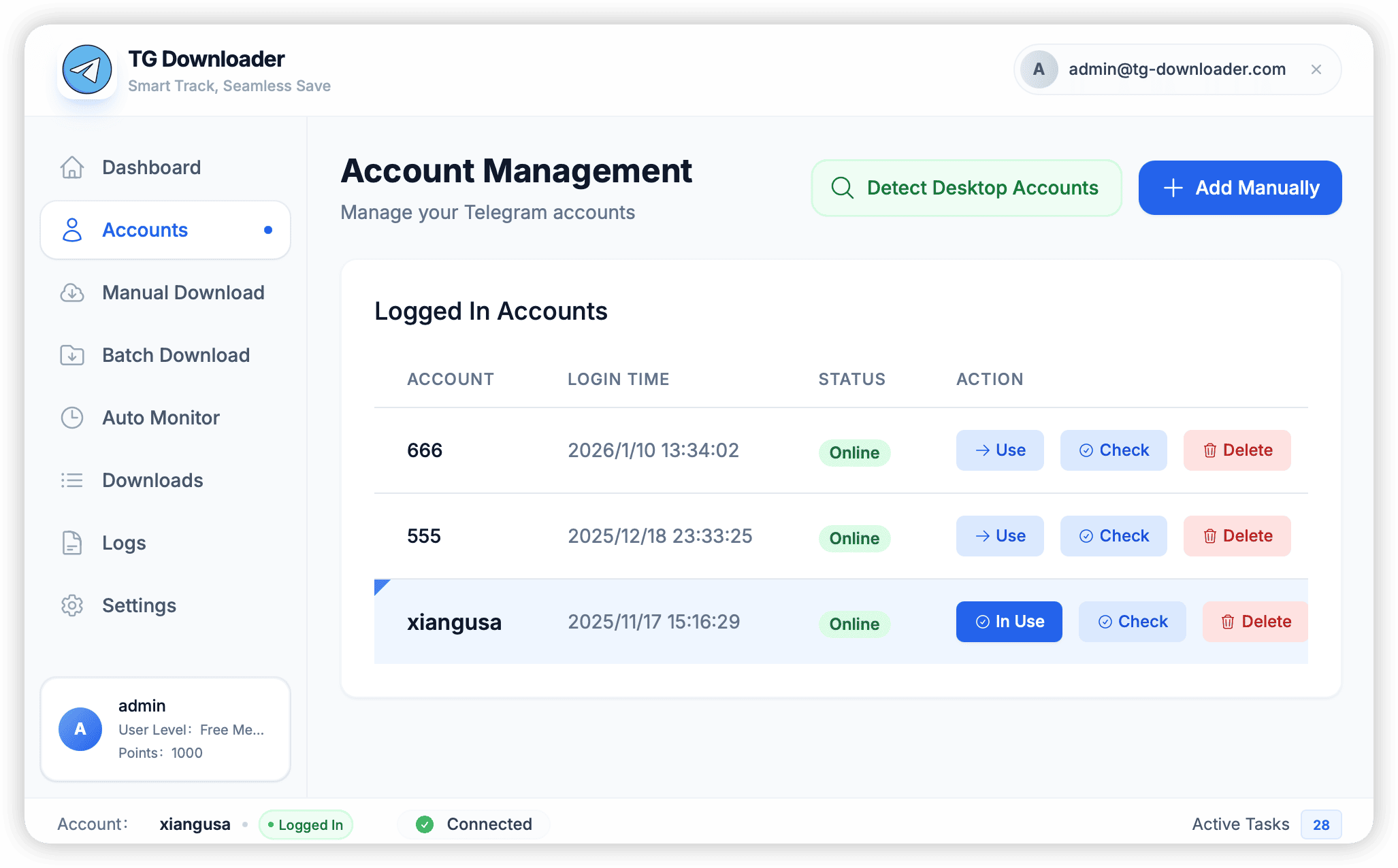
Seamlessly switch between multiple accounts
TG Downloader is designed for multi-account operations, allowing you to easily manage hundreds of accounts.
Why Switch Accounts?
Each Telegram account has an official Rate Limit.
- Downloading too many files with a single account may result in speed limits or bans.
- Rotating monitoring across multiple accounts can distribute risk and achieve 24/7 full-speed downloads.
How to Switch
Manual Switching
In the account list on the left, double-click any row to set that account as “Active”. All manual download and group search operations will now be performed as that account.
Auto-Rotation
In batch download tasks, you can check “Use Rotation Mode”.
- The system automatically monitors the download speed and error rate of the current account.
- Once a risk control (such as
FloodWaiterror) is triggered, the system automatically suspends the current account and switches to the next available account to continue downloading, without manual intervention.
Batch Check Alive
- Select multiple accounts (hold Ctrl/Cmd for multi-selection).
- Right-click and choose Check Alive.
- The system will quickly send Ping packets to the server to mark invalid or banned accounts for easy cleanup.