Activation
Activate the software to unlock all features
TG Downloader uses a license verification mechanism. After activating the software, you will unlock all advanced features including ultra-high-speed downloads, multi-thread concurrency, and unlimited monitoring tasks.
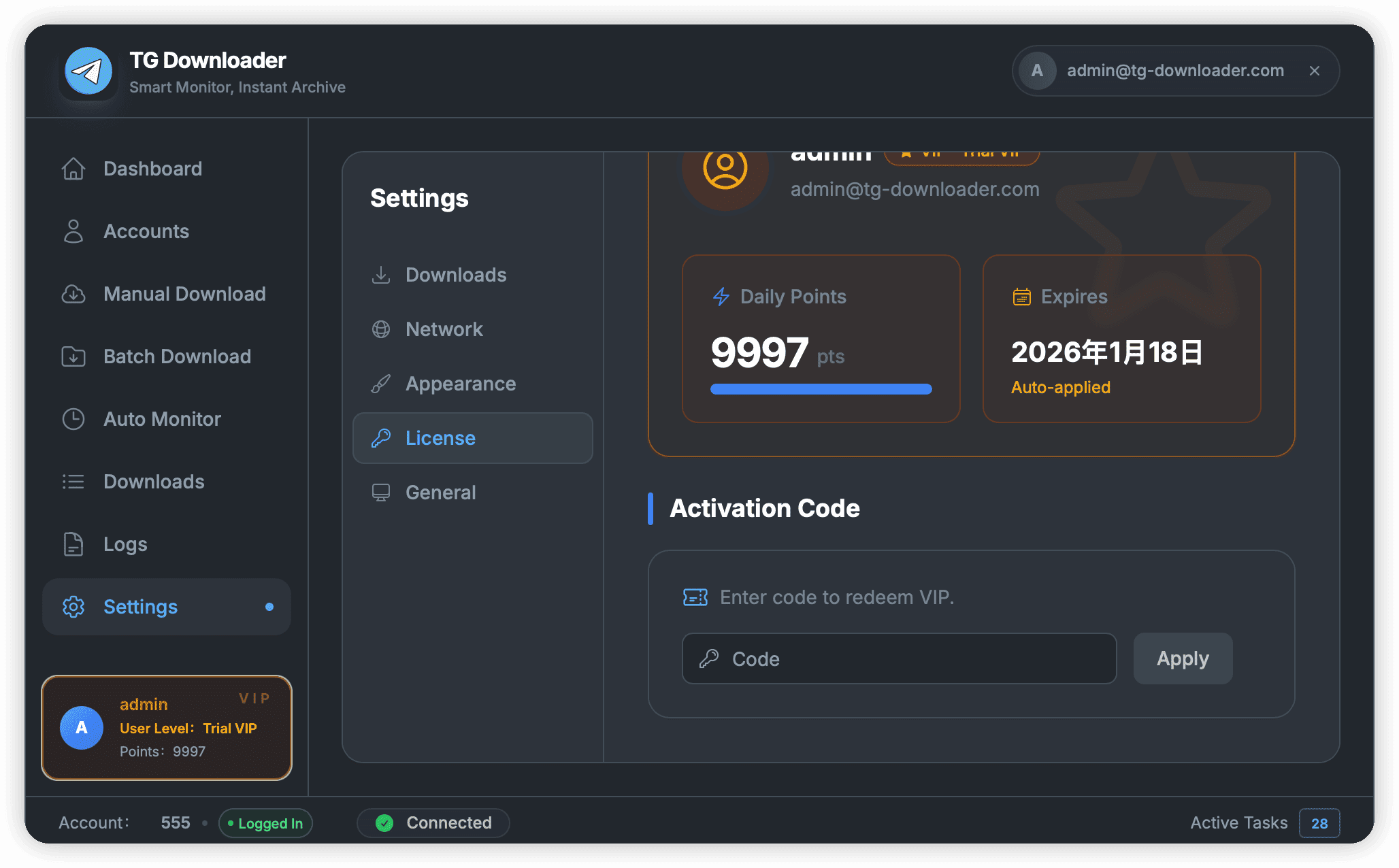
Activation Steps
-
Get License Key:
- If you haven’t purchased yet, please visit the Official Pricing Page to choose a plan that suits you (Monthly/Semi-Annual/Annual).
- If you are a registered user, your subscription will be automatically updated after purchase. No extra action required. Just log in to use premium features.
- If you haven’t registered, your license key will be displayed automatically after purchase. Copy the key to activate the software.
-
Enter Key:
- Launch TG Downloader.
- Click the Settings button in the bottom left corner. Enter your license key in Settings -> License.
- Click the Apply button, and the software will automatically activate your license.
-
Complete Verification:
- Ensure a normal network connection (able to connect to the verification server).
- Click the Activate button.
- After the system prompts “Activation Successful”, you can immediately use all premium features.
Troubleshooting
- Error Code 4001 (Invalid Key): Please check if the key is copied completely and if there are leading/trailing spaces.
- Error Code 4003 (Device Limit): The number of devices bound to your license has reached the limit. Please unbind on old devices or contact customer service to reset.
- Network Connection Failed: The activation process requires verifying with the server. Please ensure your network environment is normal and not blocked by a firewall.
[!TIP] Pro users can log in and use the software on multiple devices simultaneously. You only need to activate once.